
Hyundai Genesis (DH): Lighting System / Rheostat Components and Components Location
Hyundai Genesis (DH) 2013-2016 Service Manual / Body Electrical System / Lighting System / Rheostat Components and Components Location
| Components |
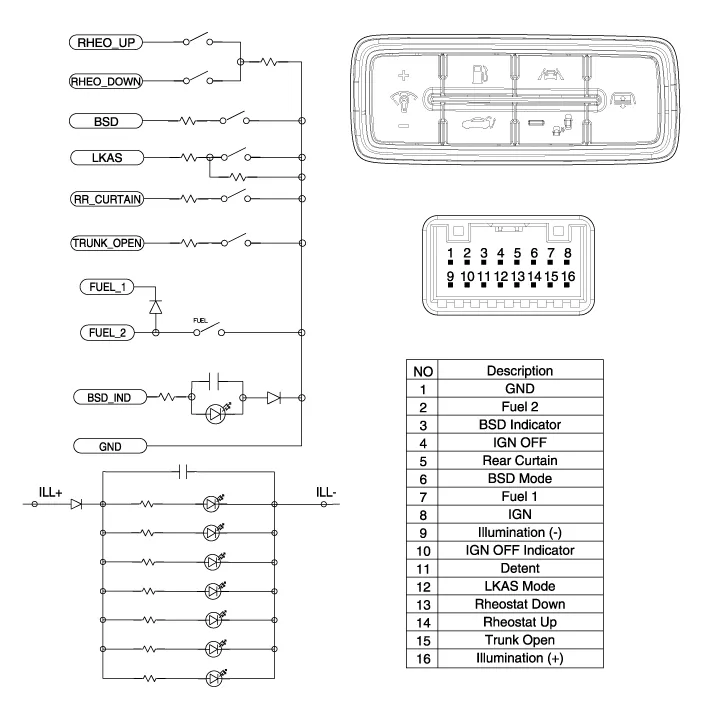
Inspection 1. Check for continuity between terminals. If the continuity is not as specified, replace the hazard lamp switch. No.Description1BAT (+)2Illumination (+)3-4Signal5Pilot lamp6-7Illumination (-)8GND Removal
Inspection 1. Disconnect the negative (-) battery terminal. 2. Remove the crash pad lower panel. (Refer to Body - "Crash Pad Lower Panel") 3.
Other information:
Hyundai Genesis (DH) 2013-2016 Service Manual: Description and Operation
D
Hyundai Genesis (DH) 2013-2016 Service Manual: Ambient Temperature Sensor Description and Operation
Description The ambient temperature sensor is located inside the side mirror and detects ambient air temperature. It is a negative type thermistor; resistance will increase with lower temperature, and decrease with higher temperature. The sensor output will be used for discharge temperature control, temperature regulation door control,
Categories
- Manuals Home
- Hyundai Genesis Owners Manual
- Hyundai Genesis Service Manual
- Components and Components Location
- Description and Operation
- Restraint
- New on site
- Most important about car

Copyright В© 2026 www.hgenesisdh.com - 0.0185